
The most affordable
Intercom alternative
For teams that want every feature on every plan, and only pay for the people who reply.
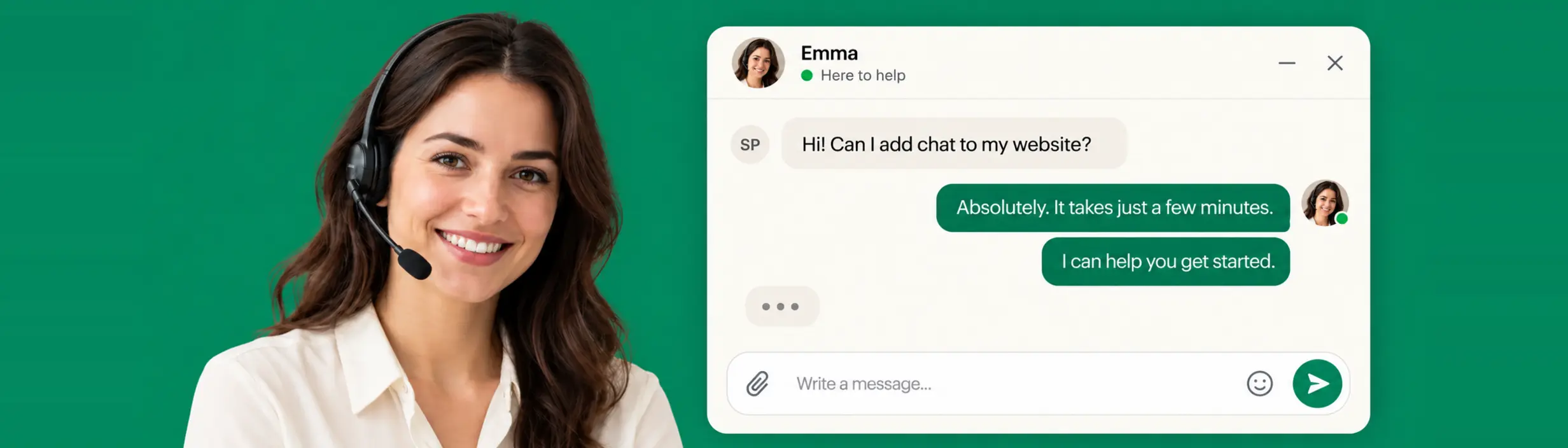
NeetoChat puts a chat window on your website so a visitor can ask a question without filling in a form or waiting on email. Your team answers from one inbox, sees who they're talking to before they reply, and can send a help article straight into the conversation.

Free for your first 10 agents. Then $30 per user, per year.
What happens when a
visitor starts a chat
Whether someone opens the chat window on your pricing page or in your documentation, every conversation follows the same four steps.
A visitor opens chat.
Visitors answer pre-chat questions, so their details and message arrive with the conversation.
Reaches the right person
Automation rules tag chats, set priority, and route them to the right teammate.
Someone replies
Use saved replies, private notes only your team can see, and help articles sent straight into the chat.
Measure & Improve
Close chats, collect visitor ratings, and track response, resolution, volume, and satisfaction.
Where NeetoChat fits
Four situations NeetoChat was built to fix. If one of these sounds familiar, the rest of the page shows the fix.
Visitors leave before they ask
A contact form asks someone to write out their question and then wait a day for an answer, so the question either waits or goes unasked. A chat window lets them ask while they're still on the page they were confused by.
Every chat starts from nothing
When a conversation opens with "hi", your team has to ask who they are and what they're using before helping. NeetoChat shows what it already knows about the visitor, and pre-chat questions collect the rest before anyone replies.
The same person answers everything
Without a rule deciding who takes what, chats land on whoever is watching. New chats can go around the team in turns or to whoever has the fewest open, and you can cap how many one person is handling at a time.
A chat tool priced per seat
Live chat is often charged per seat, with automation and reporting held back for higher plans. NeetoChat is free for the first ten agents and $30 per user per year after that, with every feature available on both plans.
Visitor details
Know who you're talking to before you reply
A chat that opens with "hi" tells your team nothing. NeetoChat shows the person behind it, so the first reply can be useful instead of a round of questions. You see them in the panel next to the conversation, while you're typing.
- Right now
- Online, or last seen a while ago
- History
- How many times they've visited
- First and last seen
- When they showed up, and when they were last here
- Language
- The language their browser is set to
- Identity
- Name, email, and phone number, once you have them
- Your own fields
- Anything else you choose to send across

Tell NeetoChat who someone is when they sign in to your product, and their name and email carry into every chat they start from then on
Send your own events from your site, so your team can see what someone was doing before they asked
Tag visitors, add your own attributes, and keep visitors, leads, and blocked contacts apart in Contacts
Pre-chat questions
Ask what you need before the conversation starts
Pre-chat questions run before anyone on your team sees the chat. Ask for a name, an email address, or a phone number, and add your own questions as free text, a dropdown, or a set of choices. When the chat arrives, the answers are already attached to it.
- Post-chat questions ask for a rating and feedback once the conversation is over
- You can leave pre-chat questions off entirely if you'd rather people just start typing
Widget customization
The chat window should look like your site, not ours
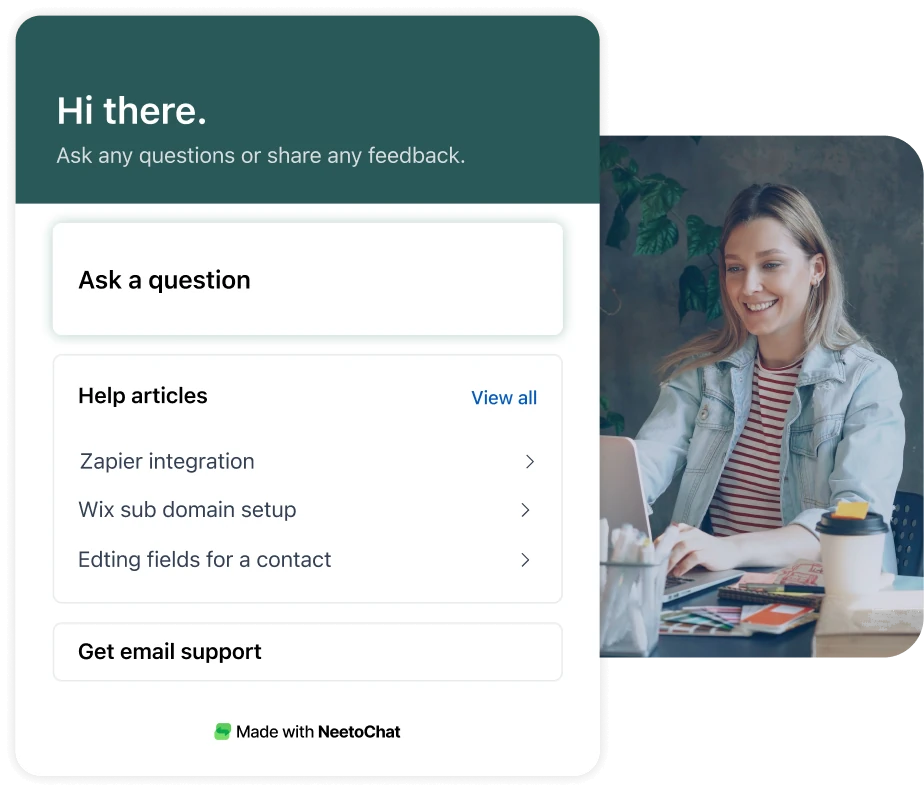
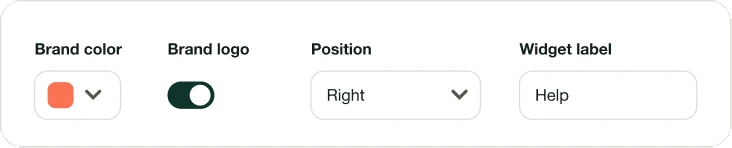
Set the brand color, upload your logo, and write the greeting and welcome message yourself. Choose the launcher icon and its label, which corner it sits in, and how much space it leaves at the edges. You can change the name your team appears under, or hide agent names altogether.
- Show the chat window to every visitor, or only when conditions you set are matched
- Pick the language the chat window is displayed in


Help articles
Answer with a help article,
inside the chat
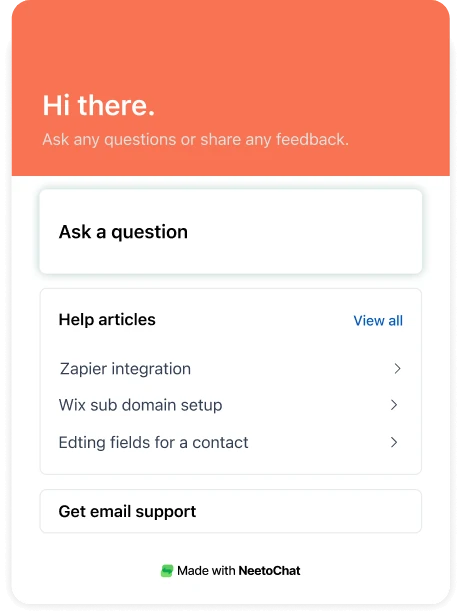
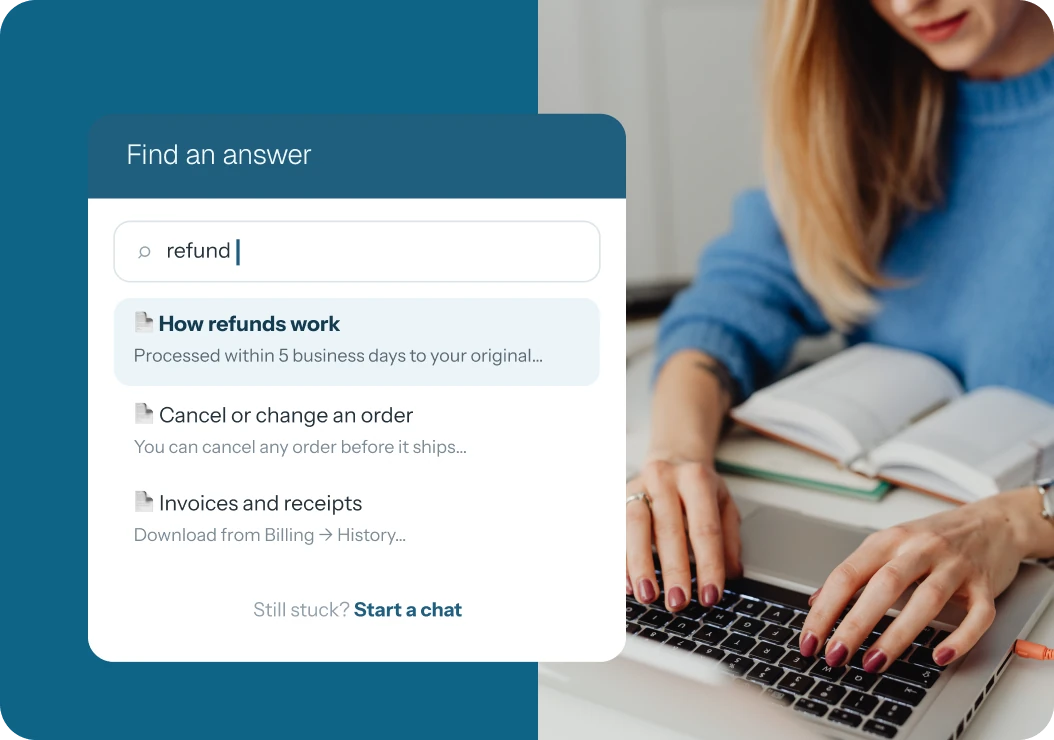
Your team probably answers the same questions again and again. Turn on help articles and your NeetoKB articles appear in the chat window, so a visitor can search for an answer before anyone replies. Your team can also send an article into the conversation while they're typing.
Nothing separate to set up or connect. If you use NeetoKB, your articles are already there.
Automation rules
Decide who gets each chat,
and how many
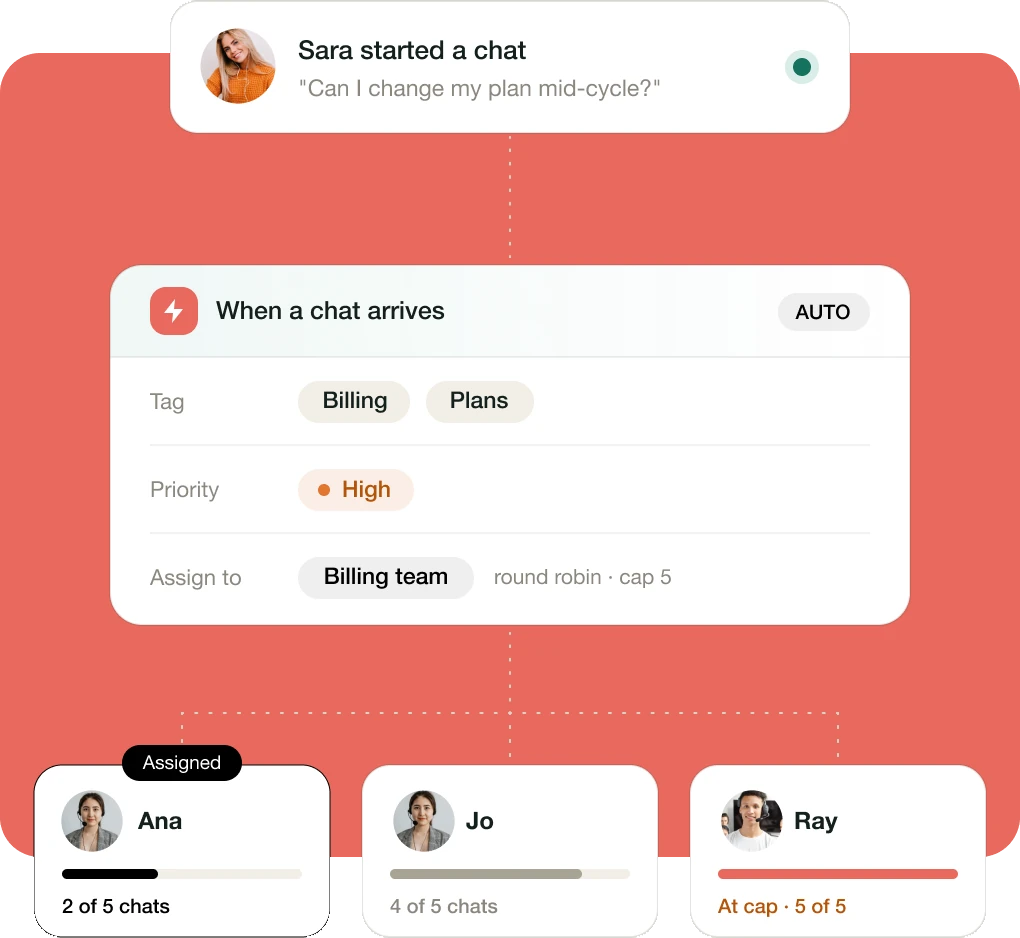
Set rules that run when a chat arrives or changes: tag it, set its priority, or assign it to a team. Then choose how new chats are shared out. Assign them by hand, send them around the team in turns, or give each one to whoever has the fewest open at that moment. You can also cap how many chats one person is assigned at a time.
- Business hours tell visitors when they can expect a reply
- Automation rules are unlimited, on both plans
Mobile app
Answer from your phone when you're not at your desk
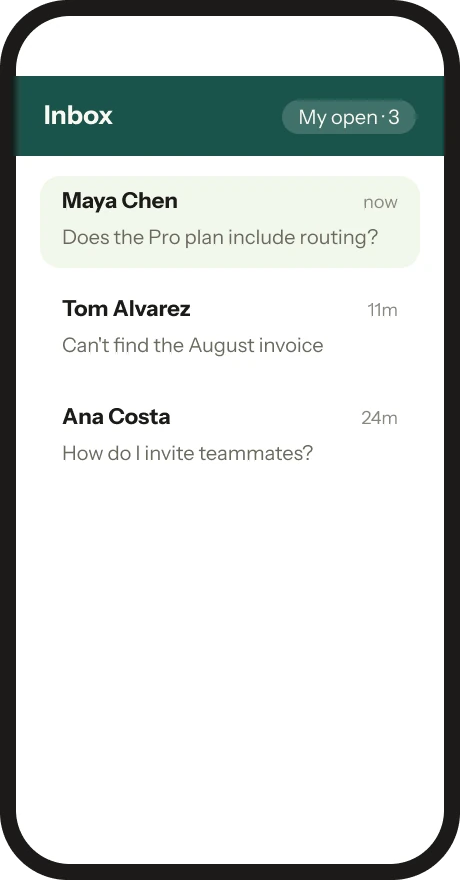
Chats don't only arrive while your team is sitting at their desks. The iOS and Android apps send a push notification when a new one comes in, so whoever is on call can answer from wherever they are. It's the same inbox, with the same views you've already set up.
- Reply with saved replies, and send a photo, a file, or a picture straight from the camera
- Tag a chat, close it, and switch between your views without opening a laptop



Chat handoff
When a chat needs to become something else
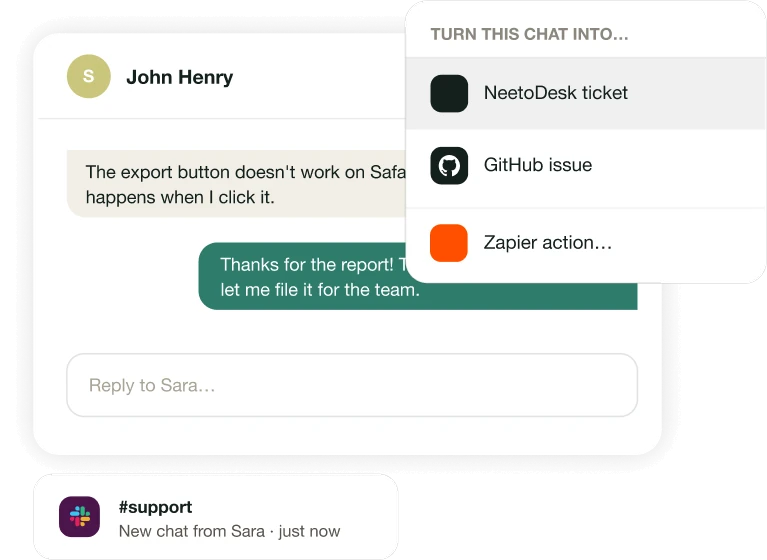
Not every question is finished when the visitor leaves. Turn a conversation into a NeetoDesk ticket so it can be worked on properly, or open a GitHub issue from it when it turns out to be a bug. Chat notifications arrive in Slack, so your team sees a new chat without watching the inbox, and Zapier connects the rest.
- Chat → NeetoDesk ticket, with the conversation attached
- Chat → GitHub issue, linked back to the chat
- New chat → Slack notification



Reports
See how quickly you
actually reply
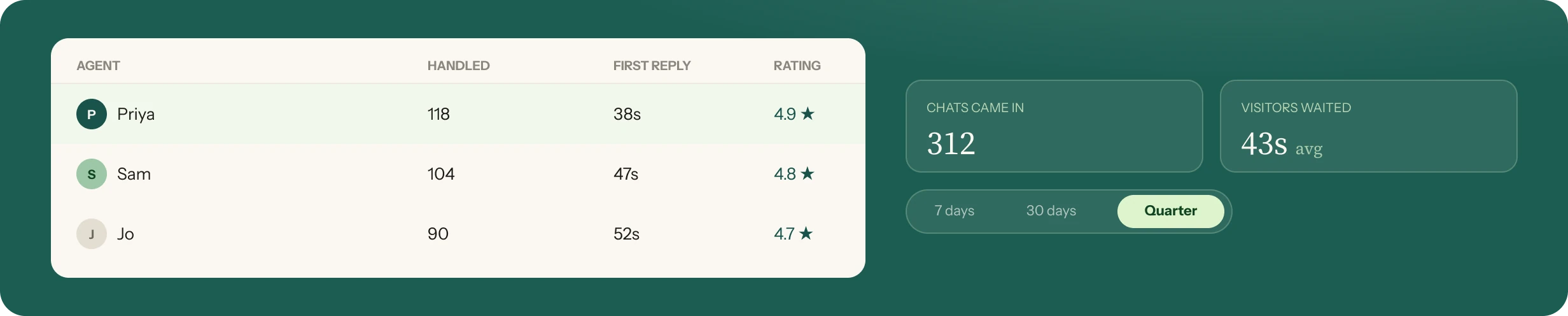
Reports show how long visitors wait for a first response, how long a chat takes to resolve, how many came in, how many each person handled, and what visitors rated them afterwards. Pick any period from the last seven days to the last quarter.
Other things you can do
in NeetoChat
Organize it your way
Tags, filtered views, custom fields, saved replies, teams, and keyboard shortcuts.
Notes and mentions
Leave a note the visitor never sees, and mention a teammate on it to pull them in.
Images, files, and voice notes
Send and receive attachments, record a voice note instead of typing, and download a full transcript of any conversation.
Nudge waiting visitors
If a message goes unread for as long as you decide, the visitor gets told they have one waiting.
Notifications that suit you
Browser and sound alerts for new chats and messages, email for mentions and chats you follow, and a weekly summary.
Security and access
Custom roles, audit logs, API keys, and IP restrictions.
Spam and blocking
Move a conversation to spam, or block a visitor outright.
Export your data
Export your chats and contacts whenever you want them.
Live chat integrations
Good software works alone.
Great software works together.
One chat, everywhere it needs to be. NeetoChat hands each conversation to the tools your team already works in, with the whole thread attached.
See all integrationsHi! The checkout page won't load for me on Safari.
 Fixing checkout issues on SafariSuggested from NeetoKB
Thanks, Sara. Looping in our engineers now.


 APIConnect NeetoChat to your own systems, and call your APIs in the middle of a conversation.Explore the API
Support is a company-wide job
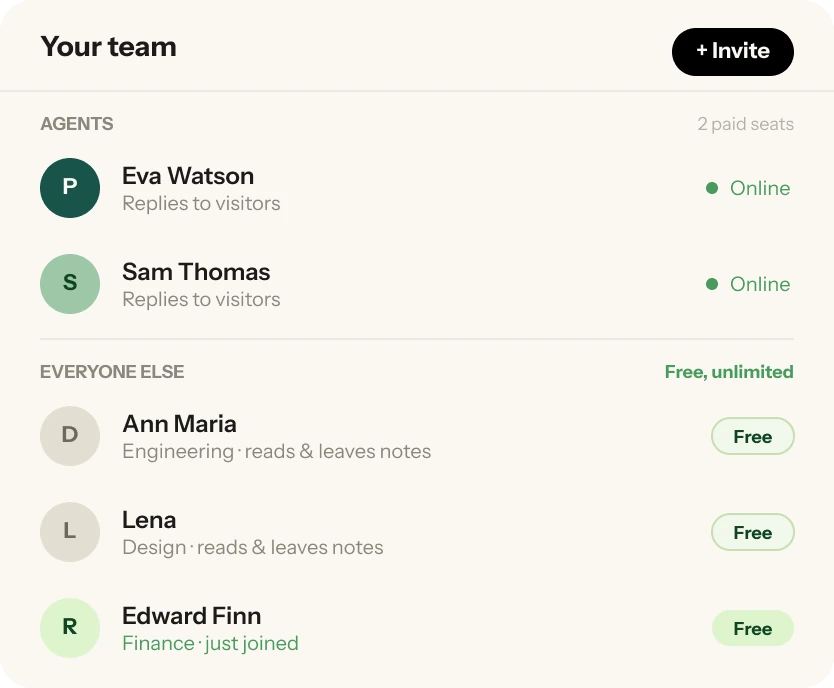
Only the people who reply to visitors count as agents. Everyone else you invite joins free: engineers, designers, finance, anyone whose input a chat might need. They can read the conversation and leave private notes for whoever is handling it.
When a visitor says the checkout page won't load, the person who can actually check it shouldn't need a paid seat to look.



Free for your first ten agents
The first ten agents are free. After that, Pro is $30 per user per year when billed annually, or $5 per user per month when billed monthly. Every feature described on this page is available on both plans. Nothing is locked behind a higher tier.
- Unlimited chats and automation rules
- Unlimited team members; only the people who reply count toward the ten
- Paying removes Neeto branding from the chat window
Free plan
$0
No credit card required
 All features, for your first ten agents. Not a trial.
Pro plan
$5
per user/month · $30/user/year
 Everything in Free, plus:
- Remove NeetoChat branding
NeetoChat in numbers
The live chat where visitors
actually get an answer.
More than 540 businesses have talked to their website visitors on NeetoChat, across 11.9K+ conversations so far. These days, the typical first reply lands in under a minute. Nobody pays per conversation, and the first ten agents cost nothing.
- 11.9K+Conversations handled in NeetoChatStarted from 2.5K+ web pages so far
- <1minMedian first response time (FRT)Half of all visitors hear back faster than this
- 540+Businesses that have chatted with visitorsEvery feature on every plan, $0 for ten agents
The questions every switcher asks, resolved
These are the questions we get in our own chat window, most weeks. Here they are, already answered.
Setting it up
8 questions- Do I need a developer to install it?No
- Can I make it match my brand?Yes
- Can I choose which pages it appears on?Yes
- Can I show it in another language?Yes
- Can I hide my team's real names?Yes
- Can visitors search help articles themselves?Yes
- Can I collect an email before the chat starts?Yes
- Can I set business hours?Yes
Answering day to day
8 questions- Will I know who I'm talking to?Yes
- Can new chats be shared out automatically?Yes
- Can I cap how many chats one person gets?Yes
- Can I leave a note the visitor can't see?Yes
- Can a chat become a NeetoDesk ticket?Yes
- Can I see first response and resolution times?Yes
- Is there a mobile app?Yes
- Can I export everything whenever I want?Yes
Our wall of love
“We moved our live chat from Intercom to NeetoChat. The migration is going well so far and the widget is live on our app.”
“Switched to NeetoChat because we needed a solution that offers email notifications.”
Frequently Asked Questions
NeetoChat is live chat software for your website. It puts a chat window on your site so visitors can ask a question without filling in a form or waiting on email. Your team answers from one inbox, sees who they're talking to before they reply, and can send a help article straight into the conversation. There are iOS and Android apps for replying on the go.
Yes. NeetoChat is free for your first ten agents, and every feature is available on both plans. Only the people who reply to visitors count as agents, so everyone else on your team joins free. After ten agents, Pro is $30 per user per year when billed annually, or $5 per user per month when billed monthly, and it removes Neeto branding from the chat window.
If you want live chat without paying for every seat, yes. Many chat tools charge per seat and keep automation and reporting for higher plans. NeetoChat includes pre-chat questions, automation rules, chat routing, help articles, reports, and integrations on every plan, and is free for your first ten agents. Moving over takes one script tag on your site.
Copy one script tag from your NeetoChat settings and paste it into your site's HTML. That's the whole installation. Once it's there, you customize the chat window from NeetoChat itself, so changing the color, the greeting, or where it sits doesn't mean touching your site again.
Whether they're online or when they were last seen, when they first showed up, how many times they've visited, and the language their browser is set to. Once you have them, you also see their name, email, and phone number, plus any fields and events you choose to send from your own site.
Yes, with a pre-chat form. Pre-chat questions can ask for a name, an email address, or a phone number, along with questions of your own as free text, a dropdown, or a set of choices. The answers arrive attached to the chat. You can also leave them off entirely and let people just start typing.
Automation rules can tag a chat, set its priority, or assign it to a team when it arrives. New chats can then be assigned by hand, sent around the team in turns, or given to whoever has the fewest open, and you can cap how many chats one person is assigned at a time.
Yes. Turn on help articles and your NeetoKB articles appear in the chat window, so a visitor can search for an answer before anyone replies. Your team can also send an article into the conversation while they're typing.
Yes. The iOS and Android apps send a push notification when a new chat comes in, so whoever is on call can answer from wherever they are. Business hours tell visitors when they can expect a reply, so nobody is left wondering outside them.
Yes. Turn a conversation into a NeetoDesk ticket so it can be worked on properly, or open a GitHub issue from it when it turns out to be a bug. Chat notifications can also go to Slack, and Zapier connects the rest.

Start with ten agents, free
Put the chat window on your site and see what your visitors ask. It takes one script tag, and you can change everything about how it looks afterwards.
Try it FREE