
Skip the meeting.
Send the recording.
NeetoRecord, a Loom alternative, is a free screen and webcam recorder.
Record your screen to create presentations and tutorials, or to give feedback to others.

Free for 200 videos a month, per person. Then $5 per user, per month.





Microphone
For everyone to hear you


Camera
For everyone to see you

Screen sharing
For everyone to see your screen


Start your recording
Give access to your devices


Record your screen from the desktop app, Chrome, or your browser
Whichever way you like to work, NeetoRecord has a recorder for it, and every recording ends up in the same library.

Desktop app
The most features and the most stable. Mac, Windows, and Linux.
Download for Mac, Windows & Linux →
Chrome extension
Record the tab you're already in, and share it a second after you stop.
Add to Chrome →
Web recorder
Nothing to install. Open NeetoRecord in any browser and hit record.
Start recording in your browser →
Video comments and reactions
Comments, reactions, and action items on every recording
Add timestamped comments, react to key moments on the timeline, and turn feedback into clear action items. Keep conversations focused, capture important details, and make it easier for your team to stay aligned.

 Copy link
 Comment

Sure! Here you go. ann.neetorecord.com/watch/..
Request recording
Get screen recordings
from your clients
Send a simple link and let clients record their screen and share their feedback directly from their browser. No account, downloads, or setup required—just click the link, record, and submit.
Screen recording editor
Trim and split your
screen recording
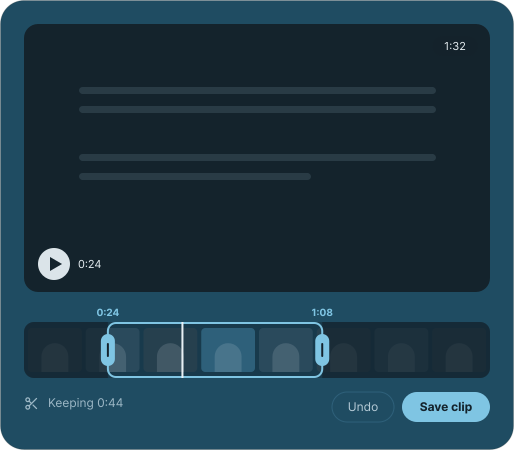
Clean up your recordings without starting over. Trim false starts, split out unnecessary sections, and remove tangents. Auto zoom follows your clicks and highlights key actions, keeping the details you’re pointing at clear and easy to follow.
- Transcript
- Summary
- Chapters
Transcripts, summaries and chapters
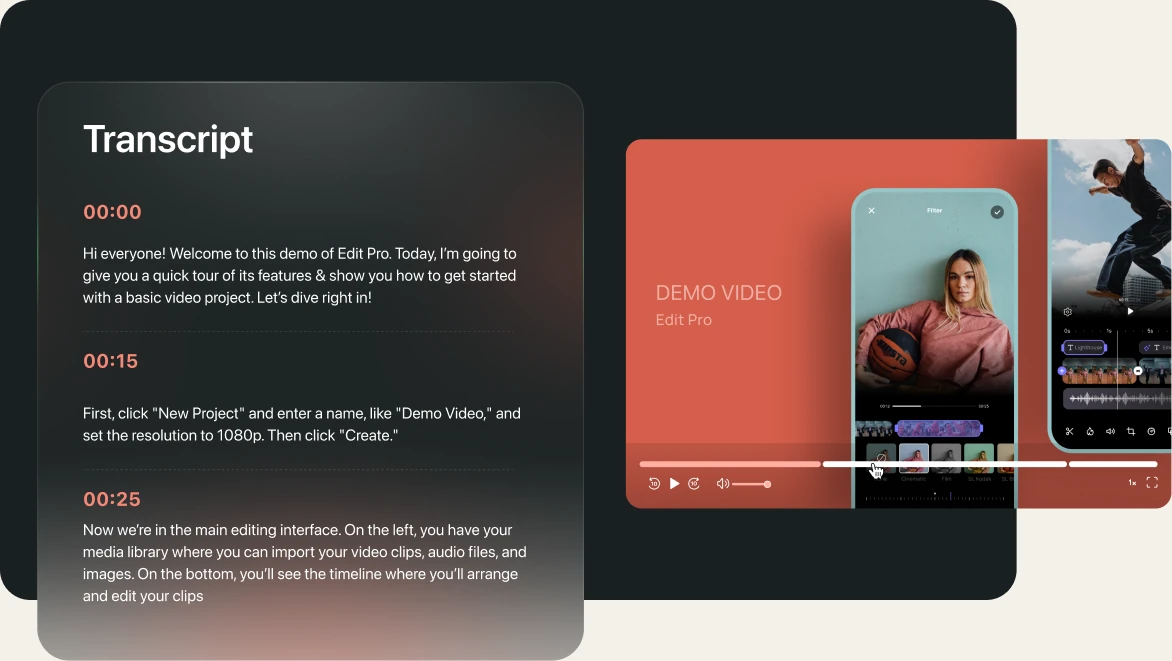
Every recording comes with a transcript, summary, & chapters
NeetoRecord transcribes every recording on its own, writes a short summary, and splits it into chapters. Viewers can skim the summary, search the transcript, and jump straight to the part they need without watching the whole thing.
Video sharing
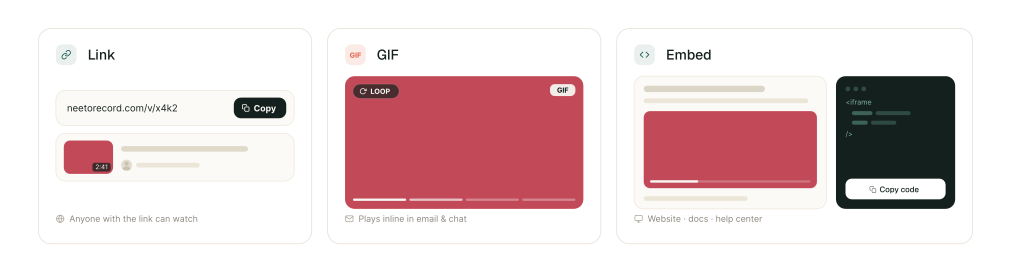
Share it as a link, a GIF,
or an embed
Share your recordings wherever your audience is. Send a simple link, create a quick GIF for instant context, or embed the full recording directly into your website, docs, or help center.


Video calls to action
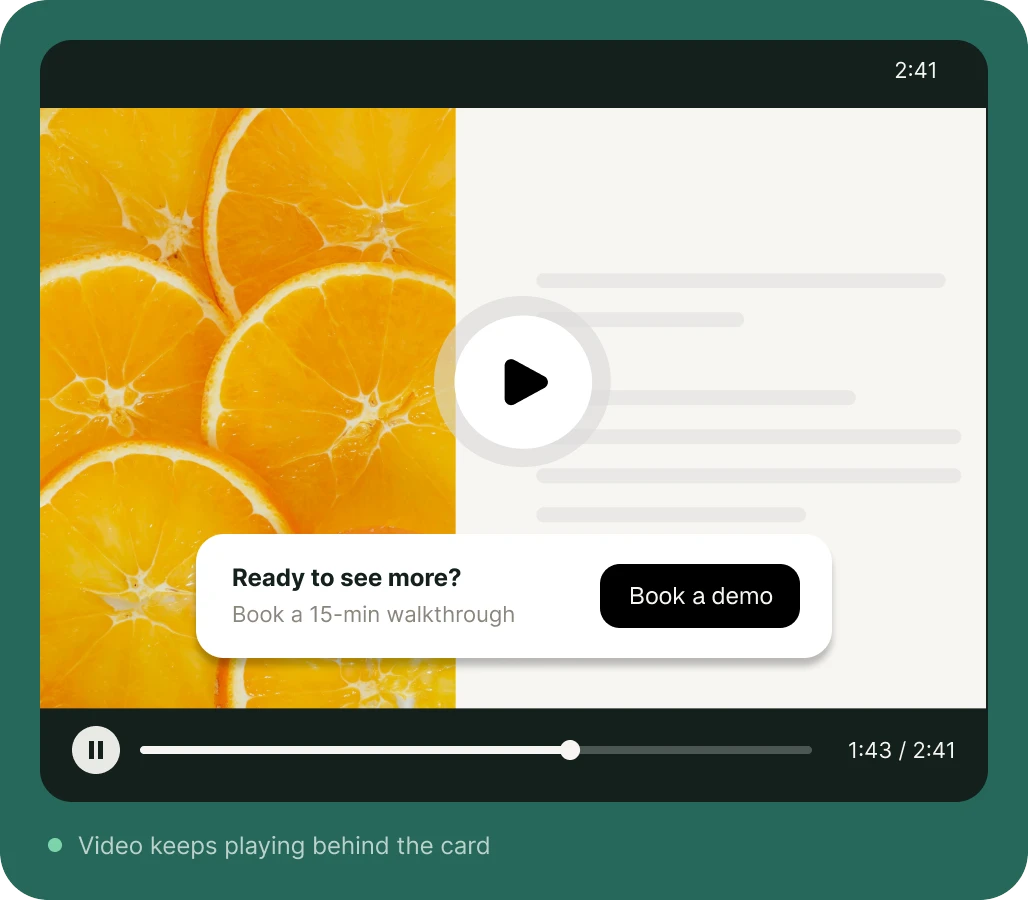
Turn viewers into leads
Turn every recording into an opportunity to connect. Add calls to action, capture viewer interest, and guide engaged viewers toward the next step without interrupting the experience.
Other things you can do
in NeetoRecord
Custom domain
Share recordings from your own domain and give every link a more professional, branded feel.
Your own branding
Add your logo to the player and remove Neeto branding for a fully branded viewing experience.
Player themes
Customize the player colors to match your brand and keep every recording visually consistent.
Custom thumbnails
Upload your own thumbnail or choose any frame from the recording to create the perfect preview.
Folders and tags
Organize recordings into folders up to three levels deep and filter them with colored tags.
Teleprompter
Follow an auto-scrolling script only you can see while recording, so you can stay on track.
Backgrounds and blur
Blur your camera background or replace it with an uploaded image for a polished look.
Recover recordings
Discarded a recording by mistake? Recover it within three days and pick up where you left off.
Roles and permissions
Control what each teammate can view, edit, share, or manage with flexible permissions.
Access control
Set a password, limit a recording to your organization, and keep it out of search engines.
More recordings, for a lot less.
Since 2023, people have made more than 380K recordings with NeetoRecord, about 20,000 every month. Each person gets 200 free videos a month, up to 15 minutes each, where Loom's free plan stops at 25 videos of 5 minutes. When you need more, NeetoRecord Pro is $5 per user a month, or $30 per user a year billed annually. Loom Business is $18 per user a month.
- 380K+Recordings
so far - 200Free videos a month
Loom: 25 - $5Per user, per month
Loom: $18
Our wall of love
Neeto Record looks great, especially the attention to features within the same window.
Easiest thing ever to fire up and do quick screen shares for critiques, takedowns, training and onboarding videos, and regular updates to clients, at pricing that puts coffee to shame.
The tool is amazing. We are ditching Loom for you guys.
The pricing is incredible and the extra features I already pay Loom for as an add-on are included in the Neeto free plan, never mind their paid plan.
I've been looking for years to replace Loom. I've found a better product, and at half the price.
Great tool, love the ethos. I've been looking for something that has GIF sharing for emails and yeah, you got it!
I rarely give reviews to software but NeetoRecord is a solid alternative to Loom videos. I am truly happy that I found it and using it for my business.
Love the screen recorder. Very cool product! More people need to know about this. It was a pain to find something that worked like this, and it's very cheap!
Frequently Asked Questions
NeetoRecord is a free screen recorder for Mac, Windows, Linux and Chrome. It records your screen and camera together and gives you a link to share as soon as you stop. Every recording comes with a transcript, a summary and chapters.
Yes. The free plan lets each person record 200 videos a month, up to 15 minutes each, with unlimited team members and no credit card. The Pro plan costs $5 per user per month, or $30 per user per year billed annually, and adds unlimited videos, recordings of up to 2 hours, and your own branding. See pricing for details.
On the free plan, each recording can be up to 15 minutes long and the video player shows Neeto branding. The Pro plan allows recordings of up to 2 hours and lets you remove Neeto branding and add your own logo.
Yes. The NeetoRecord desktop app runs on Linux as well as Mac and Windows, and is available as an .AppImage, .deb or .rpm package. You can also record from the Chrome extension or straight from your browser. Download NeetoRecord.
No. Anyone with the link can watch a recording in their browser without signing up. You can still restrict a video with a password or to people in your organization, and choose whether viewers can download it, comment or read the transcript.
Loom's free plan allows 25 recordings of up to 5 minutes each. NeetoRecord's free plan allows 200 recordings a month per person, up to 15 minutes each. Loom Business costs $18 per user per month, while NeetoRecord Pro costs $5 per user per month, or $30 per user per year billed annually. NeetoRecord also has a desktop app for Linux, and lets you request recordings from clients who don't have an account.
Please read this guide to migrate videos from Loom to NeetoRecord.

The next meeting could be a NeetoRecord
200 videos a month, 15 minutes each, unlimited team members. No credit card.
Try it FREE